Reading RPLS is free for the whole profession. Members post, reply, and get the members-only rooms.


Notifications
Clear all

Topic starter
Translate
▼
English
Spanish
French
German
Italian
Portuguese
Russian
Chinese
Japanese
Korean
Arabic
Hindi
Dutch
Polish
Turkish
Vietnamese
Thai
Swedish
Danish
Finnish
Norwegian
Czech
Hungarian
Romanian
Greek
Hebrew
Indonesian
Malay
Ukrainian
Bulgarian
Croatian
Slovak
Slovenian
Serbian
Lithuanian
Latvian
Estonian
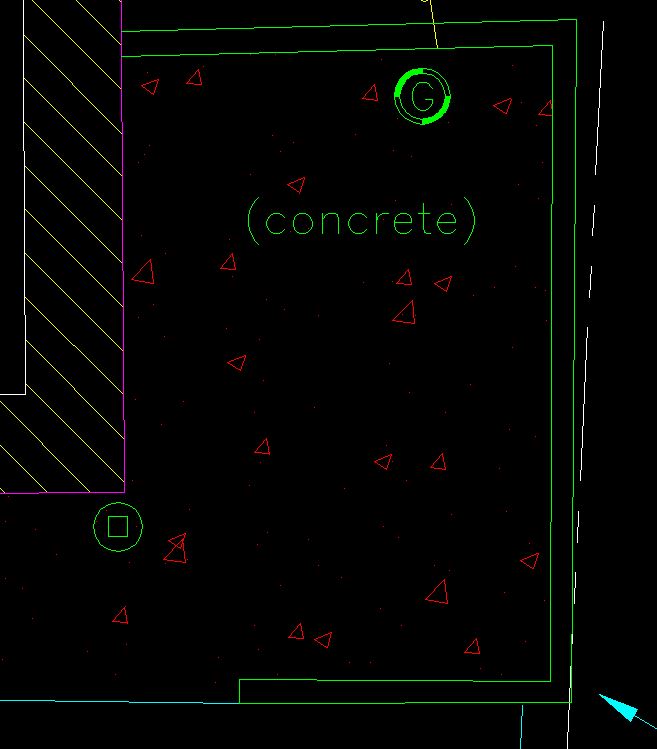
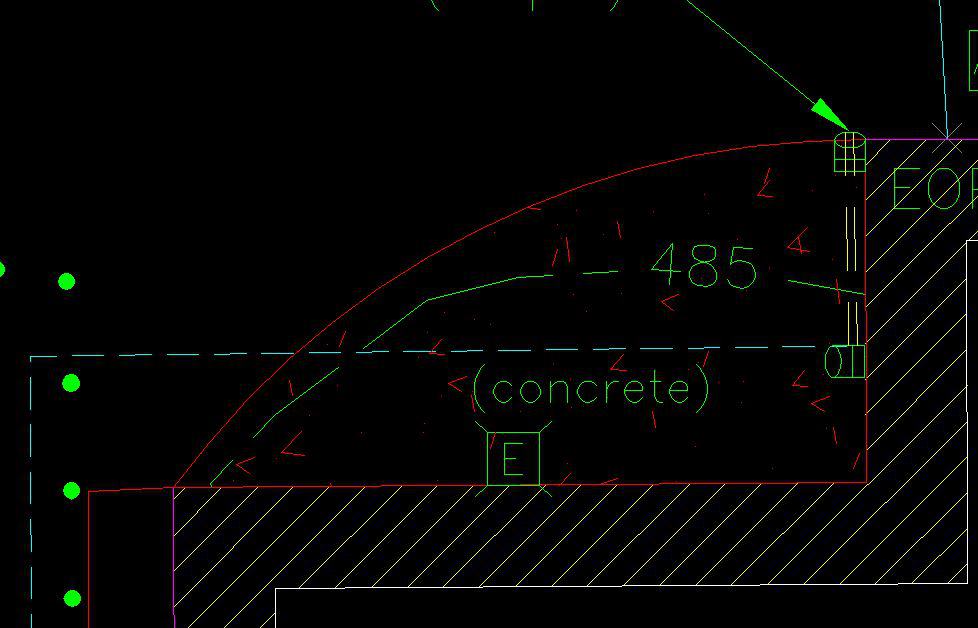
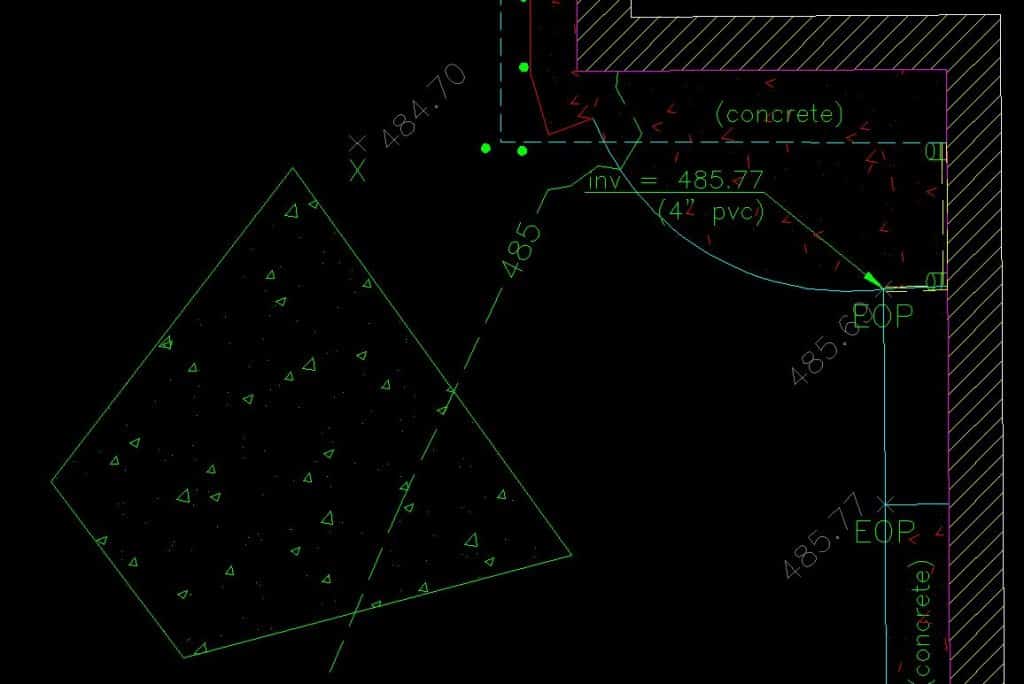
Why is it when creating a hatch pattern then applying the match properties button to try to get the hatch pattern in "A" (below) to force "B" to match "A" in the same drawing ~ that the little triangles in my concrete hatch pattern are nice and closed in "A" but they are open in my newly created hatch pattern "B"?
A:
B:
EDIT:
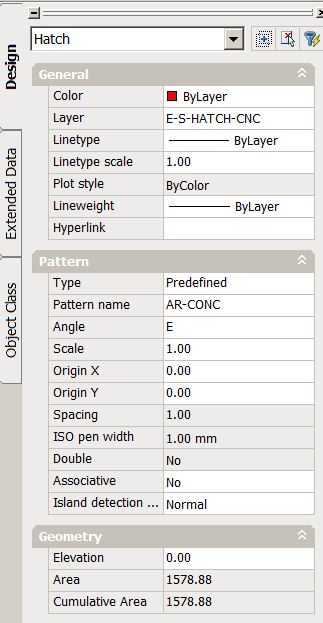
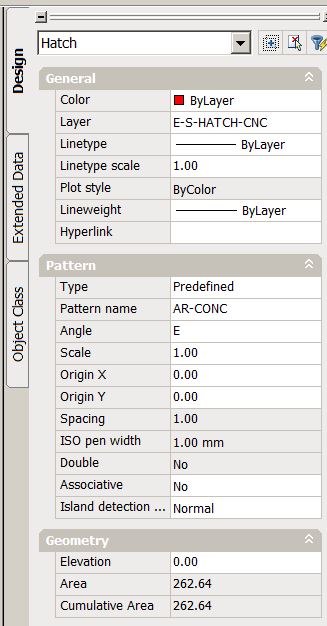
Here are their respective properties:
A:
B:
Posted : August 1, 2015 8:56 am

Translate
▼
English
Spanish
French
German
Italian
Portuguese
Russian
Chinese
Japanese
Korean
Arabic
Hindi
Dutch
Polish
Turkish
Vietnamese
Thai
Swedish
Danish
Finnish
Norwegian
Czech
Hungarian
Romanian
Greek
Hebrew
Indonesian
Malay
Ukrainian
Bulgarian
Croatian
Slovak
Slovenian
Serbian
Lithuanian
Latvian
Estonian
Sometimes when you attempt to hatch an area (especially in large coordinate drawings), the hatching can appear scrambled. The hatch pattern does not have enough precision to work properly in the larger coordinates. Use this simple workaround:
- Issue the SNAPBASE command and pick a point slightly below and to the left of the area to hatch.
- Hatch the area, it will look correct now.
- Reissue the SNAPBASE command and put in 0,0 (or previous value).
Also I believe the AR* patterns scale at a factor of 12 compared to normal ones and the ISO* are very different.
Posted : August 1, 2015 9:04 am
Topic starter
Translate
▼
English
Spanish
French
German
Italian
Portuguese
Russian
Chinese
Japanese
Korean
Arabic
Hindi
Dutch
Polish
Turkish
Vietnamese
Thai
Swedish
Danish
Finnish
Norwegian
Czech
Hungarian
Romanian
Greek
Hebrew
Indonesian
Malay
Ukrainian
Bulgarian
Croatian
Slovak
Slovenian
Serbian
Lithuanian
Latvian
Estonian
twdotson, post: 329940, member: 8059 wrote: Sometimes when you attempt to hatch an area (especially in large coordinate drawings), the hatching can appear scrambled. The hatch pattern does not have enough precision to work properly in the larger coordinates. Use this simple workaround:
- Issue the SNAPBASE command and pick a point slightly below and to the left of the area to hatch.
- Hatch the area, it will look correct now.
- Reissue the SNAPBASE command and put in 0,0 (or previous value).
Also I believe the AR* patterns scale at a factor of 12 compared to normal ones and the ISO* are very different.
Thanks for the quick response. I am working in state plane coordinates, but the SNAPBASE trick did not work for me..?
Posted : August 1, 2015 9:19 am
Translate
▼
English
Spanish
French
German
Italian
Portuguese
Russian
Chinese
Japanese
Korean
Arabic
Hindi
Dutch
Polish
Turkish
Vietnamese
Thai
Swedish
Danish
Finnish
Norwegian
Czech
Hungarian
Romanian
Greek
Hebrew
Indonesian
Malay
Ukrainian
Bulgarian
Croatian
Slovak
Slovenian
Serbian
Lithuanian
Latvian
Estonian
I was able to reproduce the problem, so try this. Leave your SNAPBASE at 0,0. Then in the hatch dialog lower left, use (o) Specified Origin, and check on [x] Default to boundary extents.
Posted : August 1, 2015 9:53 am

Translate
▼
English
Spanish
French
German
Italian
Portuguese
Russian
Chinese
Japanese
Korean
Arabic
Hindi
Dutch
Polish
Turkish
Vietnamese
Thai
Swedish
Danish
Finnish
Norwegian
Czech
Hungarian
Romanian
Greek
Hebrew
Indonesian
Malay
Ukrainian
Bulgarian
Croatian
Slovak
Slovenian
Serbian
Lithuanian
Latvian
Estonian
You need to set a new origin. If you are using 13 or up click the hatch then open the hatch editor click set new origin and click in the hatch (I usually click lower left) the issue I think is that the hatch is at 0 when your drawing has a Z value so it's stretching the hatch. Hope this works.
Sent from my SM-G920V using Tapatalk
Posted : August 1, 2015 9:55 am
Topic starter
Translate
▼
English
Spanish
French
German
Italian
Portuguese
Russian
Chinese
Japanese
Korean
Arabic
Hindi
Dutch
Polish
Turkish
Vietnamese
Thai
Swedish
Danish
Finnish
Norwegian
Czech
Hungarian
Romanian
Greek
Hebrew
Indonesian
Malay
Ukrainian
Bulgarian
Croatian
Slovak
Slovenian
Serbian
Lithuanian
Latvian
Estonian
twdotson, post: 329947, member: 8059 wrote: I was able to reproduce the problem, so try this. Leave your SNAPBASE at 0,0. Then in the hatch dialog lower left, use (o) Specified Origin, and check on [x] Default to boundary extents.
You R O C K ! ! !
Making a donation today to the tip jar in your honor...
Posted : August 1, 2015 10:00 am

Translate
▼
English
Spanish
French
German
Italian
Portuguese
Russian
Chinese
Japanese
Korean
Arabic
Hindi
Dutch
Polish
Turkish
Vietnamese
Thai
Swedish
Danish
Finnish
Norwegian
Czech
Hungarian
Romanian
Greek
Hebrew
Indonesian
Malay
Ukrainian
Bulgarian
Croatian
Slovak
Slovenian
Serbian
Lithuanian
Latvian
Estonian
Sometimes it is the linetype. I know it is not here, but that one will get ya every once in a while.
Posted : August 3, 2015 1:42 pm