Reading RPLS is free for the whole profession. Members post, reply, and get the members-only rooms.


Notifications
Clear all

Topic starter
Translate
▼
English
Spanish
French
German
Italian
Portuguese
Russian
Chinese
Japanese
Korean
Arabic
Hindi
Dutch
Polish
Turkish
Vietnamese
Thai
Swedish
Danish
Finnish
Norwegian
Czech
Hungarian
Romanian
Greek
Hebrew
Indonesian
Malay
Ukrainian
Bulgarian
Croatian
Slovak
Slovenian
Serbian
Lithuanian
Latvian
Estonian
I tried on several different Trimble VRS networks to get a mountpoint listing today. This is done by typing the IP or web address followed by the port (usually 2101). All of them I tried return an error page. I sent a message to the Trimble run vrsnow.us, he said his worked fine (from probably an internal address). That is the one I wanted, but the others I did as a check.
I tried Ohio, Keynet, vrsnow, NC, MO. The web pages work (without the port 2101), but they all return the same error page if I include the port number (which always worked before).
Posted : January 5, 2017 1:43 pm

Translate
▼
English
Spanish
French
German
Italian
Portuguese
Russian
Chinese
Japanese
Korean
Arabic
Hindi
Dutch
Polish
Turkish
Vietnamese
Thai
Swedish
Danish
Finnish
Norwegian
Czech
Hungarian
Romanian
Greek
Hebrew
Indonesian
Malay
Ukrainian
Bulgarian
Croatian
Slovak
Slovenian
Serbian
Lithuanian
Latvian
Estonian
Ours here in Texas is working. http://www.rtknet.com:2101&apos ;">www.rtknet.com:2101.
Posted : January 5, 2017 4:25 pm
Topic starter
Translate
▼
English
Spanish
French
German
Italian
Portuguese
Russian
Chinese
Japanese
Korean
Arabic
Hindi
Dutch
Polish
Turkish
Vietnamese
Thai
Swedish
Danish
Finnish
Norwegian
Czech
Hungarian
Romanian
Greek
Hebrew
Indonesian
Malay
Ukrainian
Bulgarian
Croatian
Slovak
Slovenian
Serbian
Lithuanian
Latvian
Estonian
Not from here. Are you accessing it internally? I spoke to tech support at the trimble VRS, he was saying he could access, but he was on a VPN. Once he tried from outside, he saw the problem. Since it affects multiple sites, I think they pushed out an update that somehow broke that functionality. Obviously, the VRS works, which uses the same port number, otherwise people would be freaking out.
This is the message I get for all of the sites I tried (and I am not having any other internet problems).
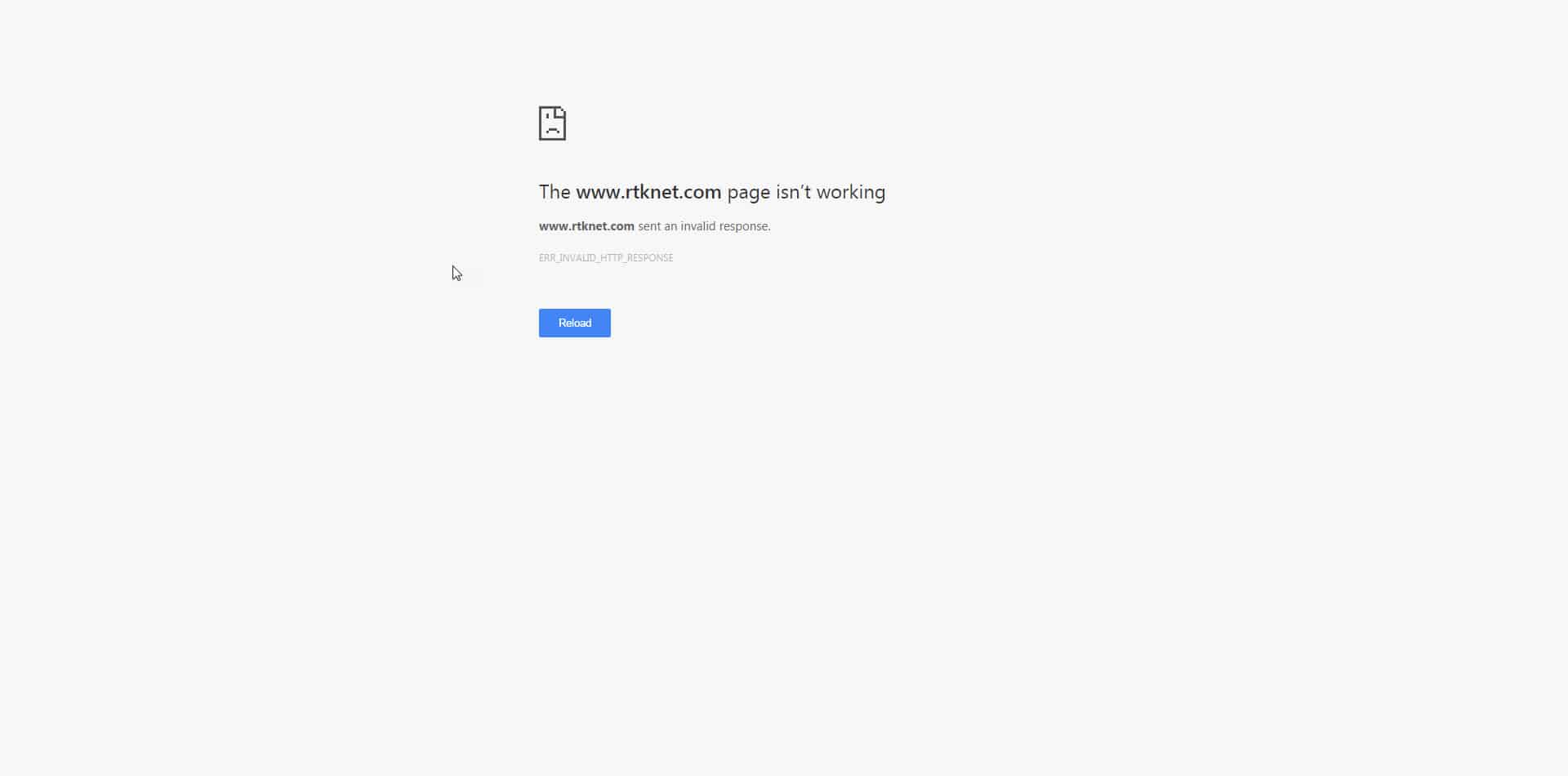
And I tried a different browser, tried from my phone, etc.
Posted : January 5, 2017 4:43 pm

Translate
▼
English
Spanish
French
German
Italian
Portuguese
Russian
Chinese
Japanese
Korean
Arabic
Hindi
Dutch
Polish
Turkish
Vietnamese
Thai
Swedish
Danish
Finnish
Norwegian
Czech
Hungarian
Romanian
Greek
Hebrew
Indonesian
Malay
Ukrainian
Bulgarian
Croatian
Slovak
Slovenian
Serbian
Lithuanian
Latvian
Estonian
Hi John, I noticed this the other day. Still works in edge, but not in chrome.
I thought it was related to a security update in chrome.
M
Posted : January 5, 2017 5:28 pm
Topic starter
Translate
▼
English
Spanish
French
German
Italian
Portuguese
Russian
Chinese
Japanese
Korean
Arabic
Hindi
Dutch
Polish
Turkish
Vietnamese
Thai
Swedish
Danish
Finnish
Norwegian
Czech
Hungarian
Romanian
Greek
Hebrew
Indonesian
Malay
Ukrainian
Bulgarian
Croatian
Slovak
Slovenian
Serbian
Lithuanian
Latvian
Estonian
I tried IE and Opera, neither works. If I leave off the 2101, it goes to the correct page.
Posted : January 5, 2017 5:33 pm
Translate
▼
English
Spanish
French
German
Italian
Portuguese
Russian
Chinese
Japanese
Korean
Arabic
Hindi
Dutch
Polish
Turkish
Vietnamese
Thai
Swedish
Danish
Finnish
Norwegian
Czech
Hungarian
Romanian
Greek
Hebrew
Indonesian
Malay
Ukrainian
Bulgarian
Croatian
Slovak
Slovenian
Serbian
Lithuanian
Latvian
Estonian
So the address for our NTRIP server at our office is:
http://alltopo.com:5000 or http://50.247.53.81:5000
I am positive that the NTRIP software has not been updated because I would have been the one to do it. And I did not.
It does not work in Chrome, it does work in Firefox, Edge and Internet Explorer.
Same for the Utah network:
http://turngps.utah.gov:2101 or http://168.179.231.9:2101
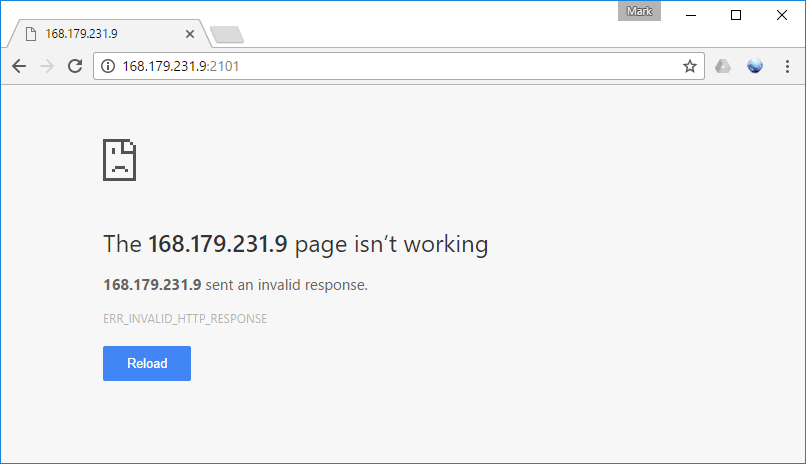
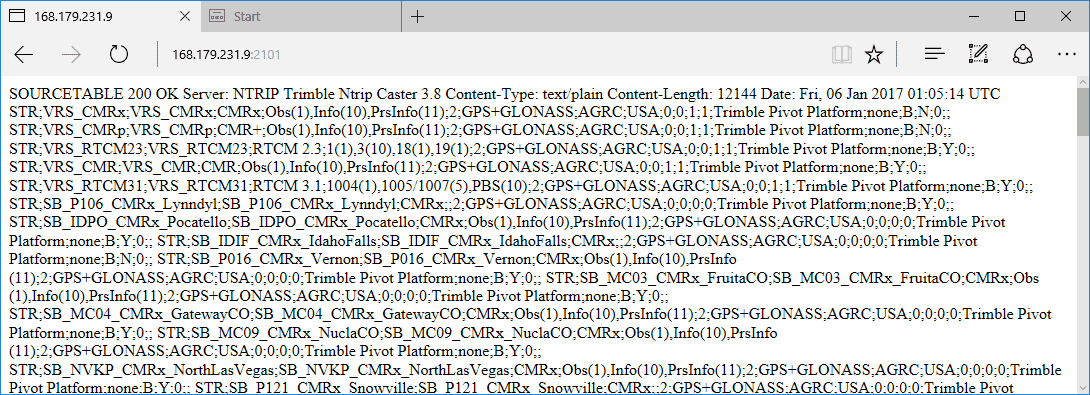
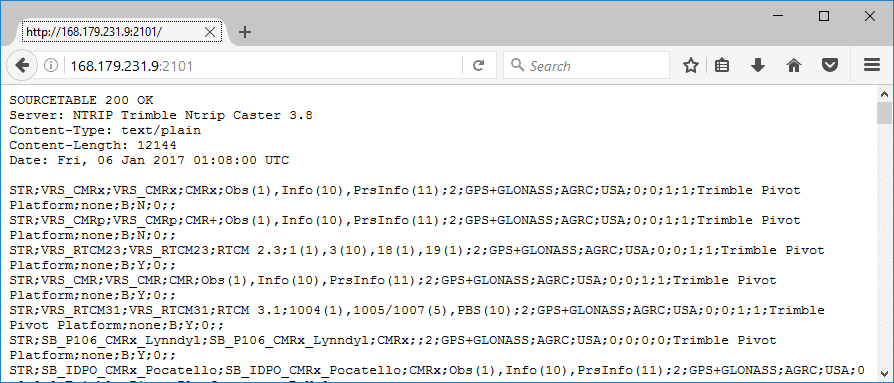
Here are screen-shots of all four browsers:
[INDENT]Chrome (fail):
Edge (success):
Firefox (success):
Internet Explorer (success):
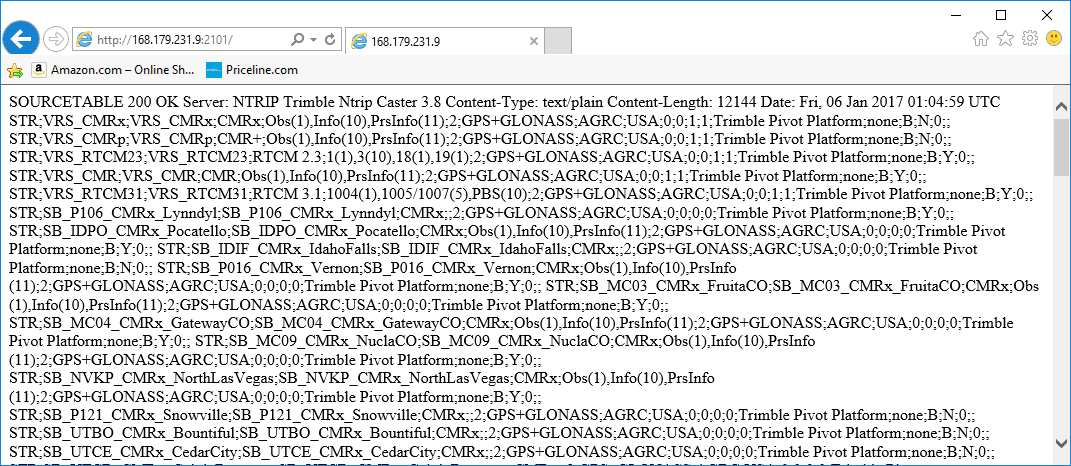 [/INDENT]
Notice that Chrome does not say 'the website can't be found'. Chrome says it sent a invalid (non-standard) response.
Posted : January 5, 2017 7:15 pm

Translate
▼
English
Spanish
French
German
Italian
Portuguese
Russian
Chinese
Japanese
Korean
Arabic
Hindi
Dutch
Polish
Turkish
Vietnamese
Thai
Swedish
Danish
Finnish
Norwegian
Czech
Hungarian
Romanian
Greek
Hebrew
Indonesian
Malay
Ukrainian
Bulgarian
Croatian
Slovak
Slovenian
Serbian
Lithuanian
Latvian
Estonian
Just checked http://www.rtknet.com:2101/ in both Edge and Chrome, fails in Chrome, works in Edge.
This may be related to another problem I was experiencing, same exact error message trying to get a source table through the web interface on my Bridge-X, thought it was due to a firmware update last week. Just tried it, IE works and Chrome doesn't, so accessing source tables seems to be a Chrome issue!
Also tried it from my BlackBerry 10 phone (yes, you read that correct), works on phone too, so as far as I can tell, only issue for me is Chrome.
Thanks Mark, you just saved me from reloading firmware on my Bridge-x!
SHG
Posted : January 6, 2017 9:17 pm

Translate
▼
English
Spanish
French
German
Italian
Portuguese
Russian
Chinese
Japanese
Korean
Arabic
Hindi
Dutch
Polish
Turkish
Vietnamese
Thai
Swedish
Danish
Finnish
Norwegian
Czech
Hungarian
Romanian
Greek
Hebrew
Indonesian
Malay
Ukrainian
Bulgarian
Croatian
Slovak
Slovenian
Serbian
Lithuanian
Latvian
Estonian
Mark Silver, post: 407618, member: 1087 wrote:
I thought it was related to a security update in chrome.
Mark is right, Chrome recently dropped support for a rarely-used old version of the HTTP protocol because ofhttps://bugs.chromium.org/p/chromium/issues/detail?id=600352&apos ;"> security reasons. (Attackers can trick your web browser into speaking to things on your local network that aren't really web servers, but have enough similarity with web requests to cause issues because the browser says "hmmm, this version of HTTP is funny, but whatever - let's keep talking anyways".)
ie, This breakage is because of web browsers changing, not your devices.
This is what one of those requests looks like under the covers:
[PRE]
$ curl -v> http://www.rtknet.com:2101/
* Trying 199.101.241.12...
* Connected to www.rtknet.com (199.101.241.12) port 2101 (#0)
> GET / HTTP/1.1
> Host: www.rtknet.com:2101
> User-Agent: curl/7.43.0
> Accept: */*
>
SOURCETABLE 200 OK
Server: NTRIP Trimble Ntrip Caster 3.5
[/PRE]
The problem is that "SOURCETABLE 200 OK" bit - a normal web request would come back with something like "HTTP/1.1 200 OK" instead. "SOURCETABLE ..." is a non-standard response, and was known to be problematic before the ink was fully dry on the Ntrip 1.0 standard. You can even see this in some of the screenshots above - "SOURCETABLE 200 OK" isn't part of the content (it's metadata), but the browser shows it anyways because it doesn't really know what else to do with it.
Apparently NTrip 2.0 will do away with this all this excitement, and follow the HTTP standard more closely.
There's more discussion on the change in https://bugs.chromium.org/p/chromium/issues/detail?id=669800&apos ;">Chrome's bug tracker, including a workaround to manually override the Chrome setting to how it was before. FWIW, Ntrip 1 may break in other web browsers soon (add Safari to the broken list) - It's common for https://bugs.chromium.org/p/chromium/issues/detail?id=600352#c9&apos ;">browsers to follow each other's lead with this sort of thing.
Posted : January 8, 2017 10:15 pm